


An AI SEO tool can now write your meta descriptions, your structured data and your FAQ block in seconds, ready to paste. That is useful, and it is also a new way to damage a site, because the tool's suggestions are published under your name the moment you paste them. A search engine or an AI assistant that reads them has no idea a tool wrote them.
This month we tested every kind of suggestion Iris makes against the page it was written for, sentence by sentence. Most were fine. Some were not, and the ones that were not fell into five patterns that we think apply to any tool that writes SEO copy with a language model. This post lists them, explains why they happen, and gives you a five-question check you can run on any suggestion before it goes on your site.
Five ways a suggested fix makes a page worse
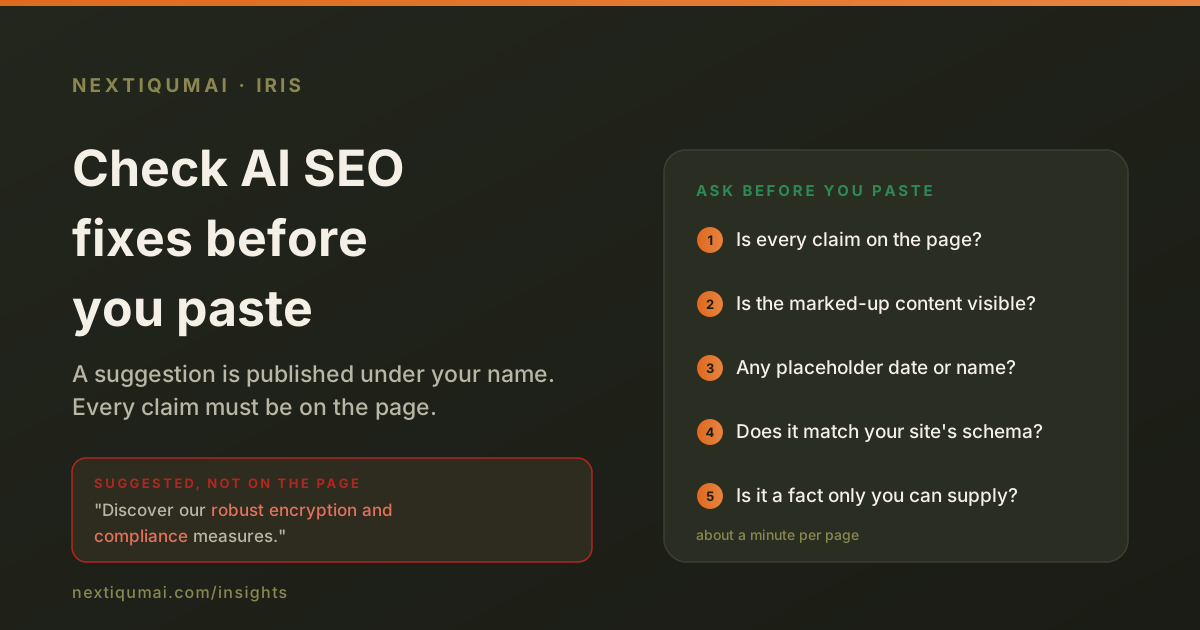
1. A description that claims something the page does not. Take an invented but typical security page that says your passwords are hashed and your data is sent over HTTPS. A suggested meta description reads: "Discover our robust encryption and compliance measures." The page never mentions compliance. Now your search snippet promises a certification you may not have, and an AI assistant may repeat it as fact.
2. Price markup on a page without prices. A pricing disclaimer, a legal note about how prices are estimated, gets the suggestion "add Product schema with an Offer block that includes price and currency". There is no price on the page. Google's structured-data rules say markup must describe what the page visibly shows; markup that does not can be treated as spam, and the penalty lands on your site, not on the tool.
3. A placeholder date as a freshness signal. "Add a last updated date, for example 2024-10-01." Copied as written, that is a made-up date. A date only helps when it is the day the content really changed, and on a contact page or a legal notice it tells a reader nothing useful.
4. The wrong company in the structured data. A suggested Organization block names the company "Contact | Example Co", because it took the page title, and points the logo at /logo.png, a file that does not exist. Worse, the homepage already had a correct Organization block. Follow the advice on every page and you have published a second, contradictory version of your own company.
5. Legal facts written for you. "Add your registered address and governing law to the terms." That is correct advice and dangerous copy if the tool fills in the blanks. Only you know those facts, and a lawyer may need to choose the words.
Why it happens
Most of these tools never give the model your page. They give it a list of signals: the title, the description length, which schema types are present, the word count. Asked to write a better description from that list alone, a model writes what a page like yours usually says. Usually is not the same as actually, and the gap is filled with plausible claims.
The second cause is that nothing checks the reply. A model told "use only facts from the page" mostly does. Mostly is fine for a draft you read carefully. It is not fine for copy that is pasted straight into a live site by someone who trusts the tool.
Five questions to ask before you paste anything
Is every claim on the page? Read the suggestion and underline each fact: a feature, a number, a certification, a guarantee. Find each one on the page. If one is missing, cut it or add it to the page first, where it can be true.
Does the markup describe what a visitor can see? Product and Offer need a visible price. FAQPage needs the questions and answers on the page. Review markup needs real reviews. If you cannot point to it on the screen, do not mark it up.
Is any date, number or name a placeholder? Search the suggestion for example values. Replace them with real ones or remove the line.
Does it match what the site already says about itself? Check the homepage source for an existing Organization or WebSite block. If there is one, new markup should point to it by its @id, not repeat it with a different name. The company name should be the one you use, and the logo should be a file you can open.
Is this a fact only you can supply? Addresses, legal terms, credentials, ratings and testimonials come from you, not from a tool. Treat any suggestion that contains them as a to-do, not as copy.
What we changed in Iris
Iris now reads the page's text before it writes anything, and every suggestion passes a check before you see it. Each substantive word, number and claim in a suggested title, description or FAQ answer must be found on the page. A description that fails is replaced by one built from the page's own sentences. Advice to add price markup is dropped on a page that shows no price. Example dates are removed. Facts only the owner can supply are labelled "Needs your input" instead of being written out.
Structured data is built from what the site already says: an existing Organization block, the site name the site declares, or the part of the page title that matches the domain, never the full page title. If the homepage already describes the company, the suggestion only links each page to it. The logo is used only when the site actually has one. Autopilot, which applies fixes without anyone pasting them, runs the same check before anything reaches a live page.
The honest limit
A check like this can only confirm that a suggestion repeats what the page says. It cannot tell whether the page itself is true, and it will sometimes reject a good sentence that phrases a fact differently. We accept that trade: a missing suggestion costs you a minute, a false one published on your site can cost you trust. Whatever tool you use, the five questions above take about a minute per page, and they are worth it.
Questions this raises
Can wrong structured data really hurt a site?
Yes. Google's guidelines say structured data must match the visible content, and markup that misrepresents the page can lose rich results or draw a manual action. Duplicate Organization blocks with different names also make it harder for search engines and AI assistants to know which description of your company is right.
Should I stop using AI to write meta descriptions?
No. A model is good at writing a clear, well-sized description. Give it your page, then check that every claim in its draft is on that page before you publish it.
How do I find the Organization block my site already has?
Open your homepage, view the page source and search for "application/ld+json". If a block has "@type": "Organization", note its name and its @id. New markup on other pages should refer to that @id rather than add a second Organization.